Setting up Wazuh SIEM with SSH Brute Force Attack Detection and Mitigation
🧩 Problem#
I wanted to simulate a real-world security environment in my homelab where I could detect and respond to SSH brute-force attacks and at the same time monitor my devices
🛠️ Solution Overview#
I deployed Wazuh as a SIEM solution and configured it to detect SSH login attempts and automatically block malicious IPs.
🔧 Environment#
- Ubuntu Server (Wazuh Manager)
- Linux target machine (with SSH enabled)
- Public exposure via port forwarding
🚀 Step 1: Install Wazuh#
curl -sO https://packages.wazuh.com/4.14/wazuh-install.sh && sudo bash ./wazuh-install.sh -a
After installation, accessed dashboard:
https://<server-ip>
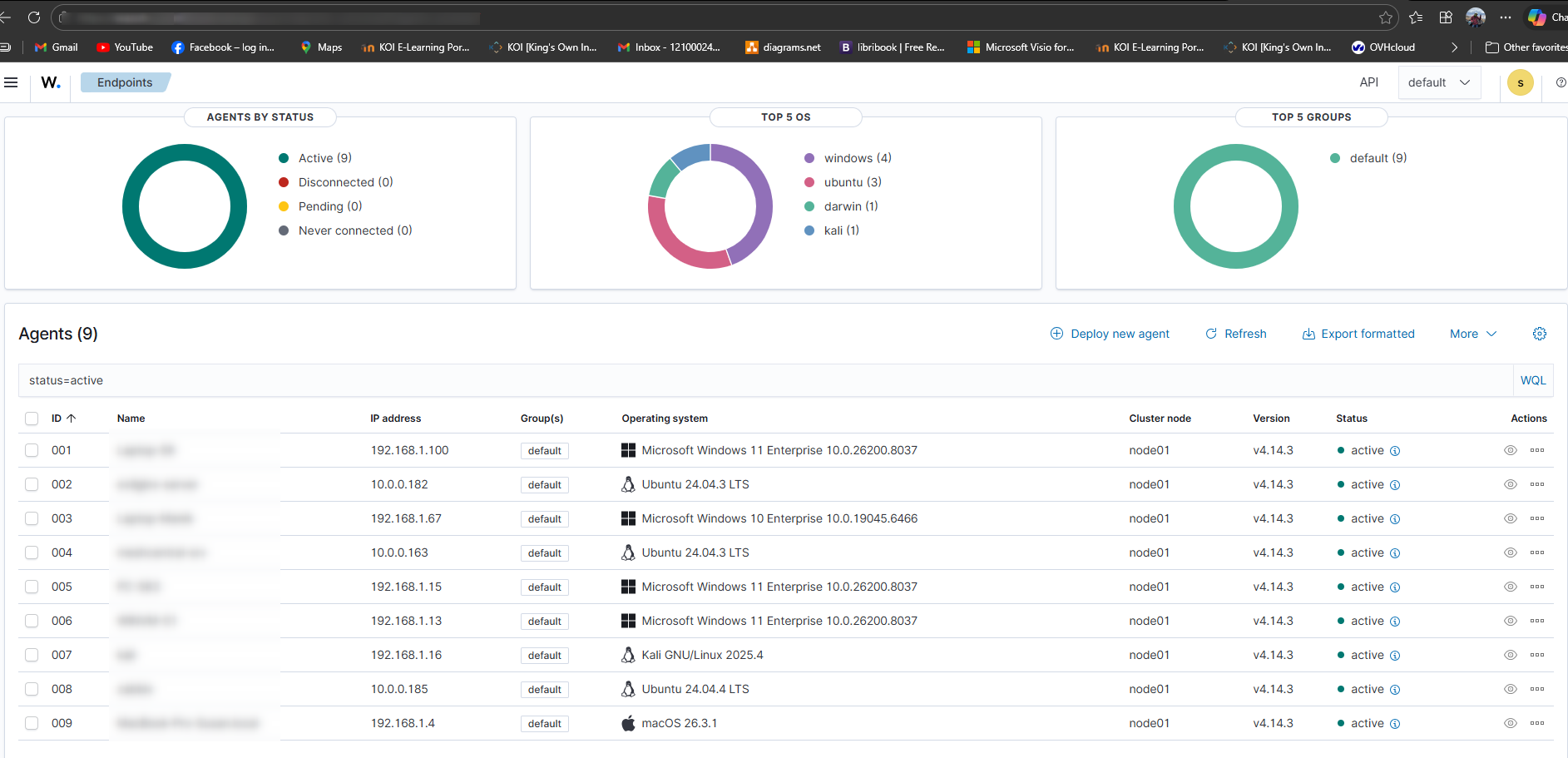
🔌 Step 2: Deploy Wazuh Agent#
On monitored machine:
wget https://packages.wazuh.com/4.x/apt/pool/main/w/wazuh-agent/wazuh-agent_4.14.3-1_amd64.deb && sudo WAZUH_MANAGER='domain.com' dpkg -i ./wazuh-agent_4.14.3-1_amd64.deb

sudo systemctl daemon-reload sudo systemctl enable wazuh-agent sudo systemctl start wazuh-agent
! #
#
🔍 Step 3: Enable SSH Monitoring#
Verified that Wazuh is monitoring:
/var/log/auth.log
Checked rules triggered for failed logins.
⚔️ Step 4: Simulate SSH Attack#
From another machine:
ssh invaliduser@<target-ip>
Repeated multiple failed attempts to simulate brute force.
🚨 Step 5: Configure Active Response#
Edited Wazuh config:
sudo nano /var/ossec/etc/ossec.conf
Added:
<active-response>
  <command>firewall-drop</command>
  <location>local</location>
  <rules_id>5710</rules_id>
</active-response>
Restarted Wazuh:
sudo systemctl restart wazuh-manager
🔐 Step 6: Verify IP Blocking#
Checked iptables:
sudo iptables -L -n
Confirmed attacker IP was blocked.
📊 Result#
- Real-time SSH attack detection
- Automatic IP blocking
- Security visibility via dashboard
⚠️ Challenges Faced#
- Time sync issues between agent and manager
- Logs not appearing initially due to wrong file permissions
- Firewall rules not applying correctly
🧠 What I Learned#
- Basics of SIEM architecture
- Importance of log monitoring
- How automated response improves security posture
🚀 Future Improvements#
- Integrate with email alerts
- Add geo-IP blocking
- Monitor additional services
Other posts